
How to become and Official and access courses
To register for an instructor led clinic:
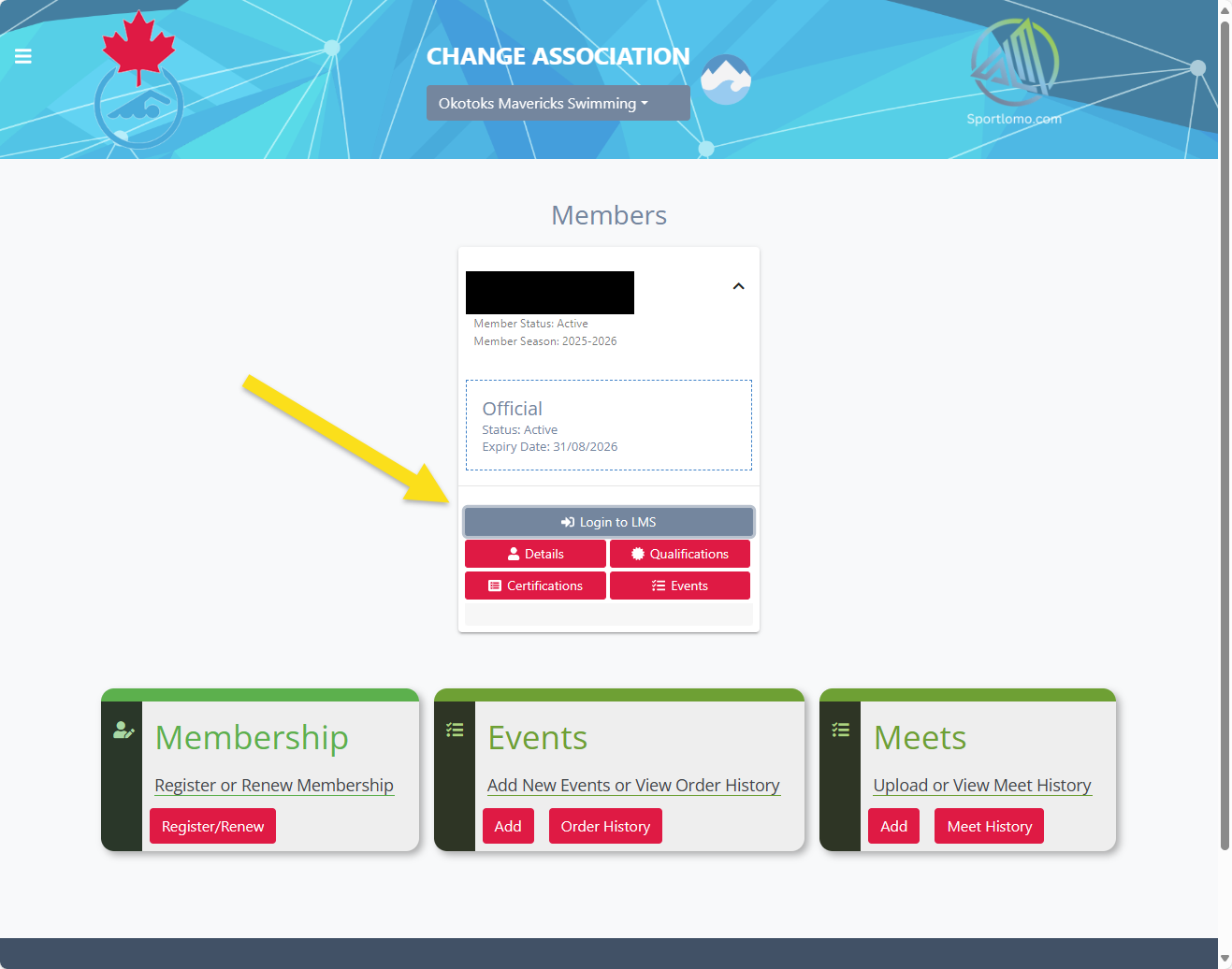
1. Log into the Swim Canada REM system. Click the "Login to LMS" button
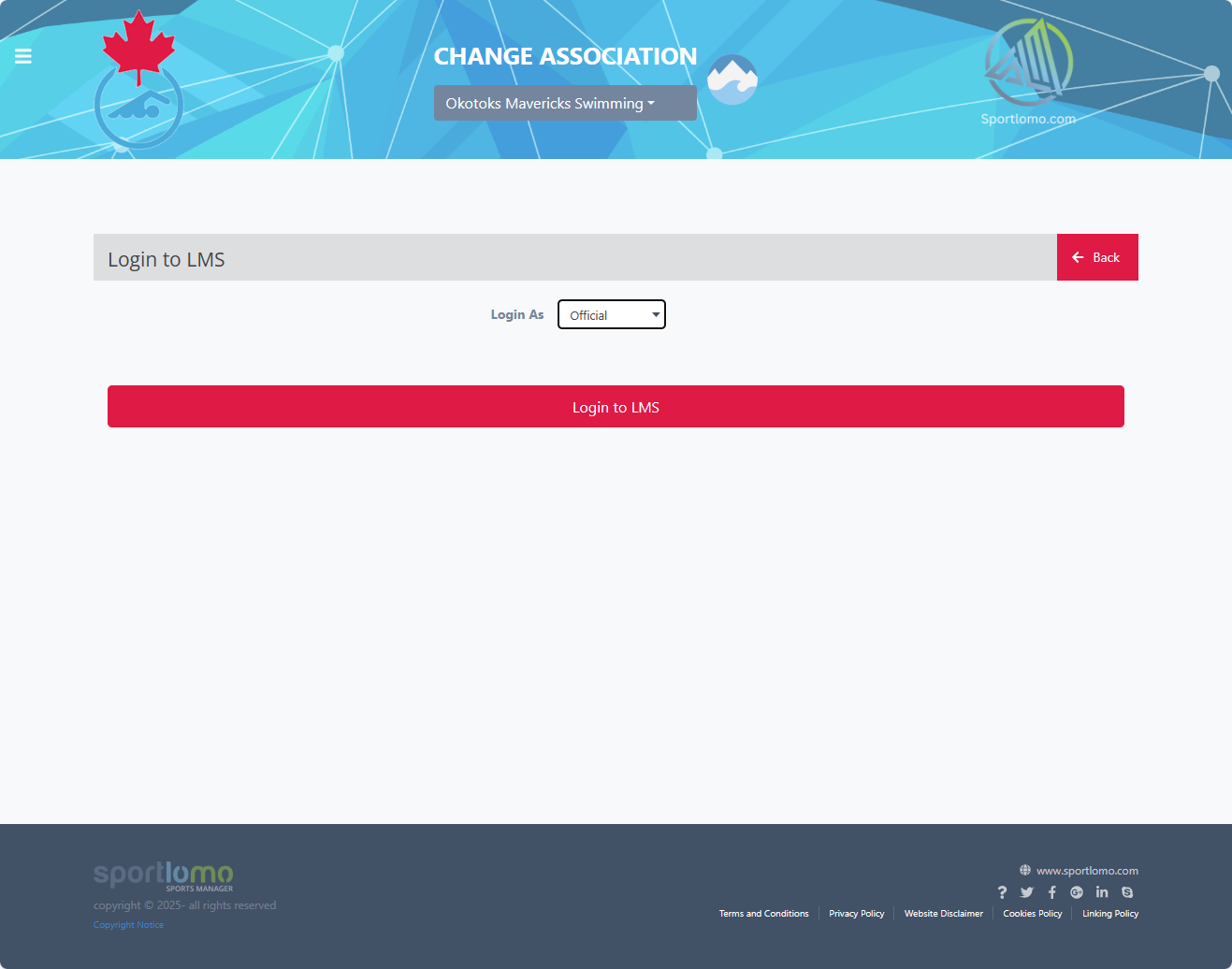
2. Select to log in as Official.
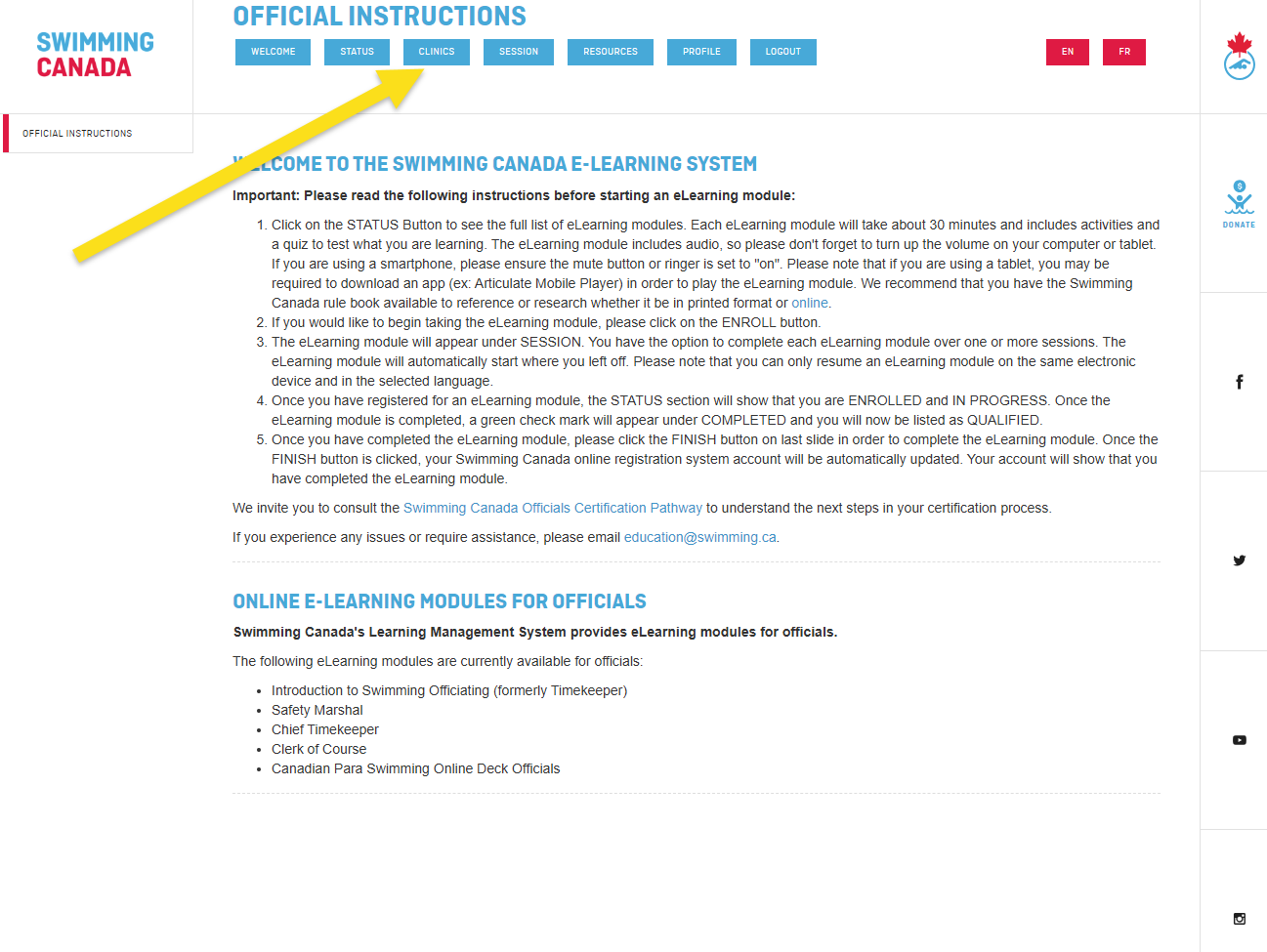
3. Select Clinics to see available clinics.
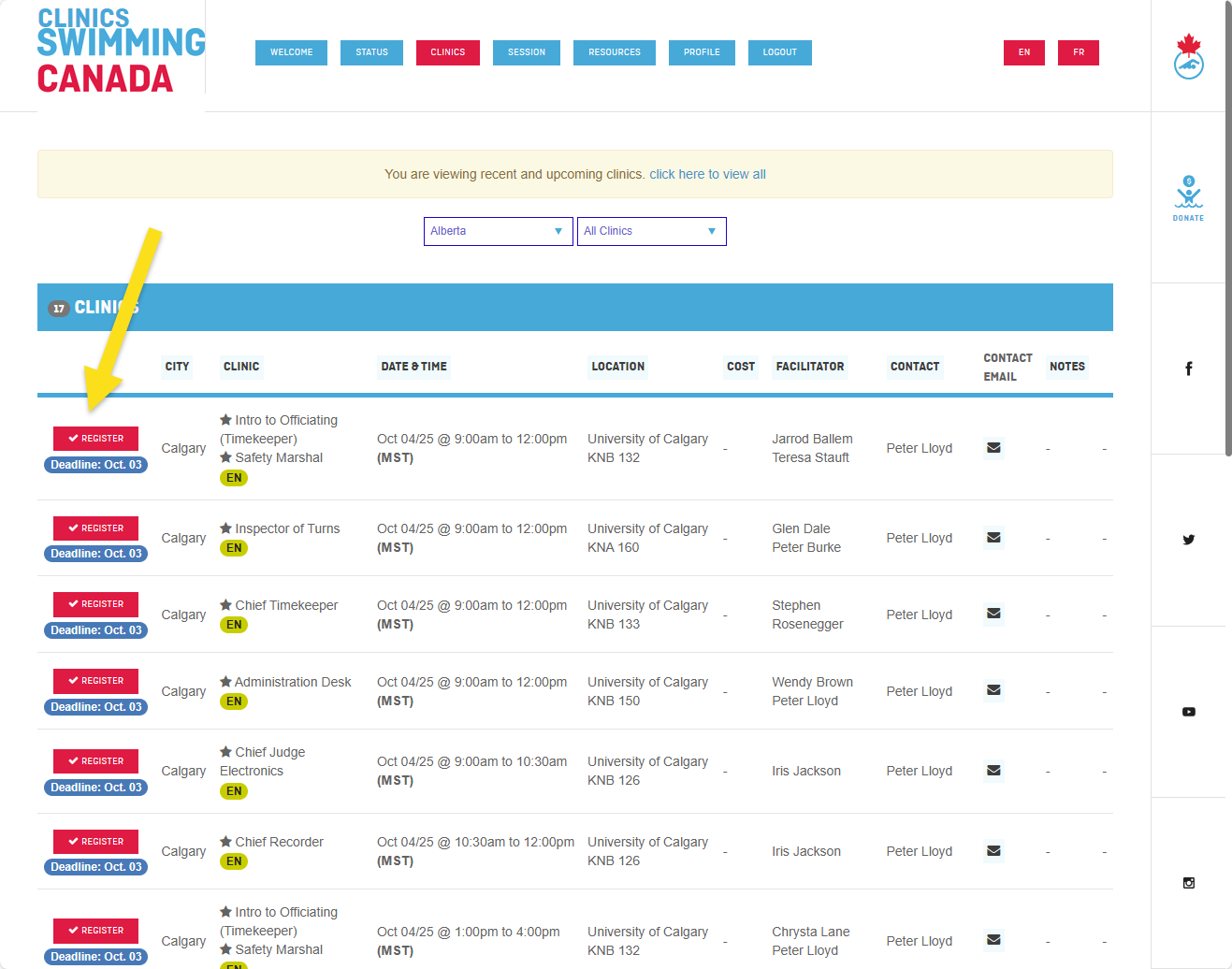
4. Select a Clinic and click to Register.
To register for an online e-module clinic:
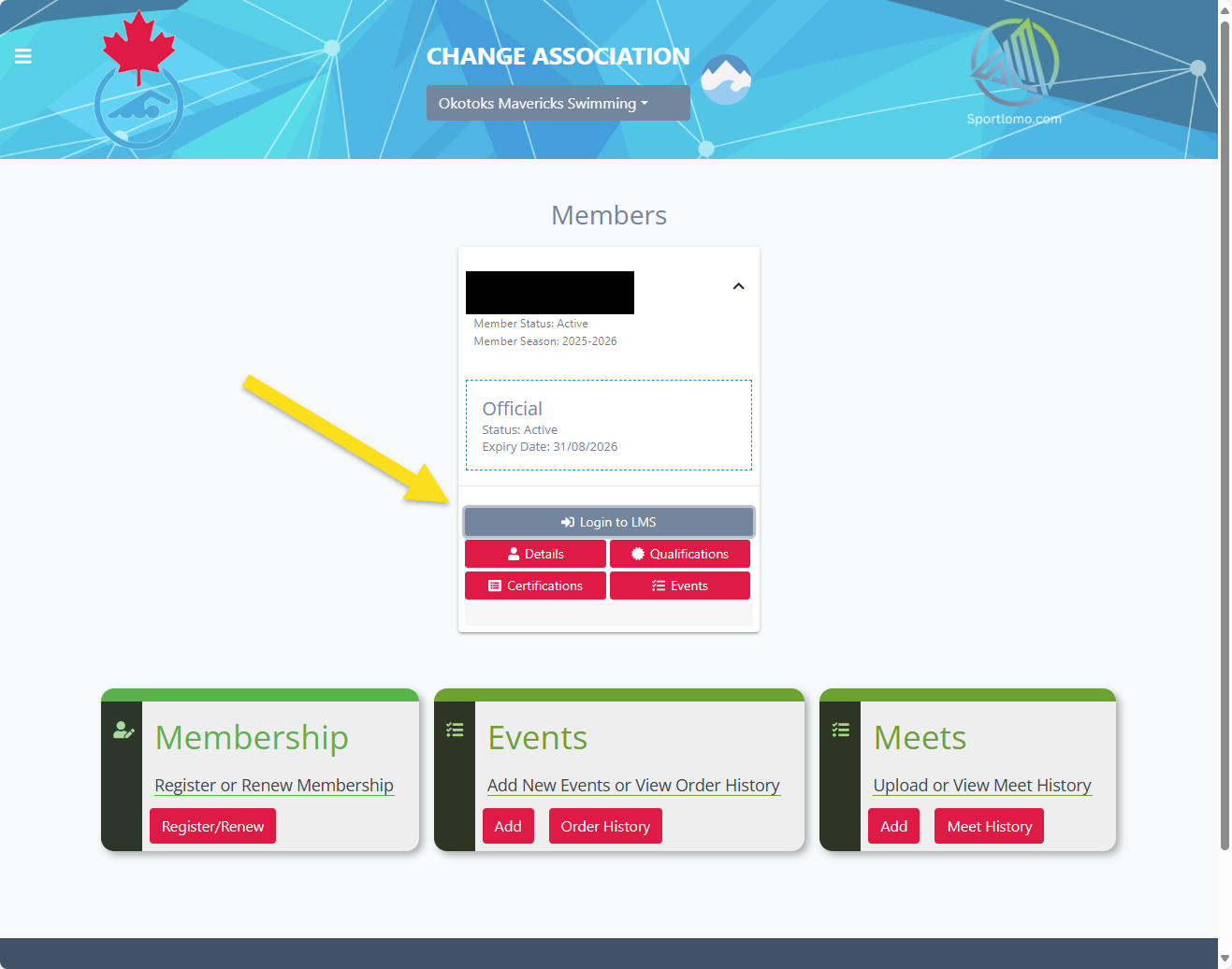
1. Log into the Swim Canada REM system (if you do not have an Official's log in contact the Registrar). Click the "Login to LMS button".
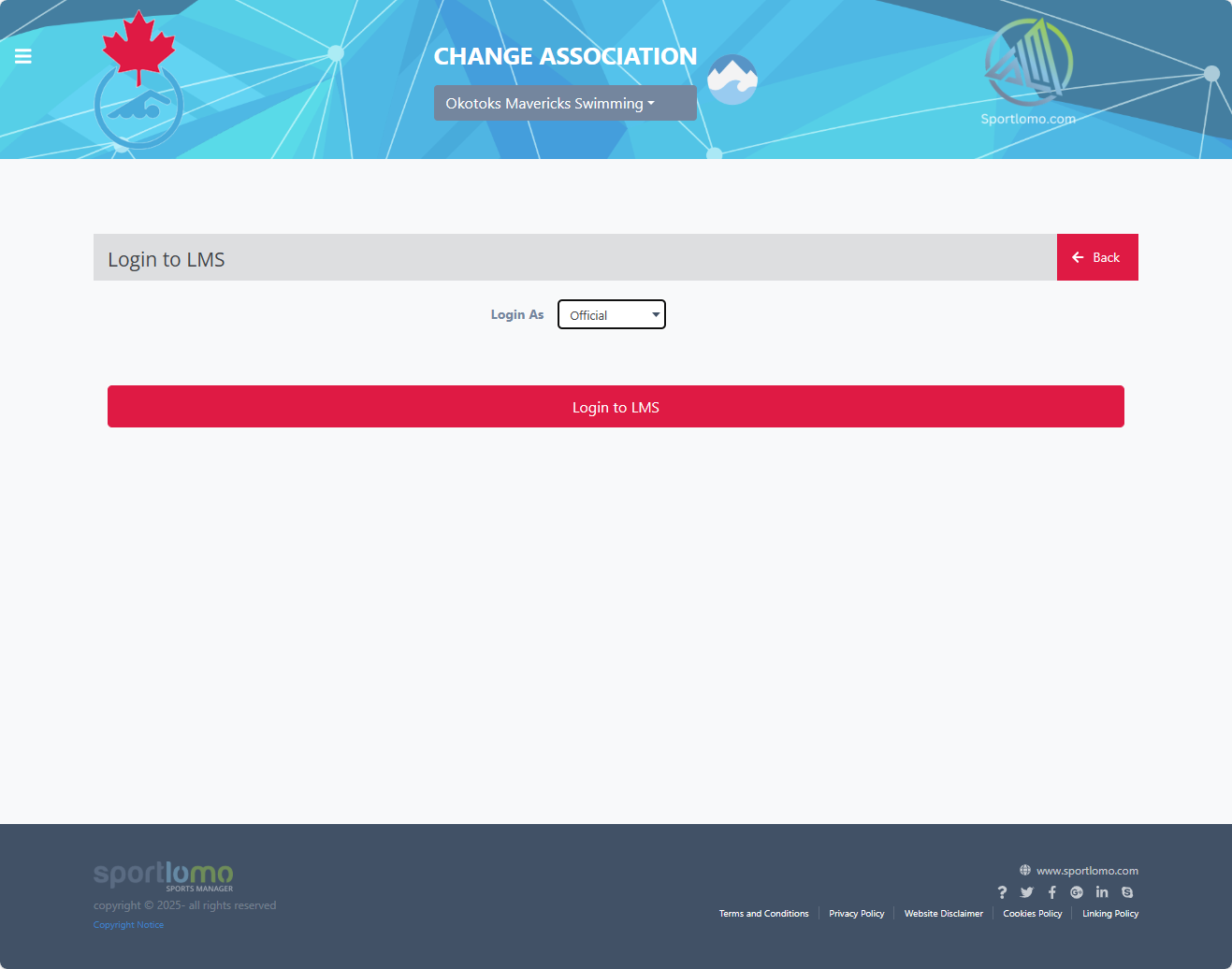
2. Select to log in as an Official.
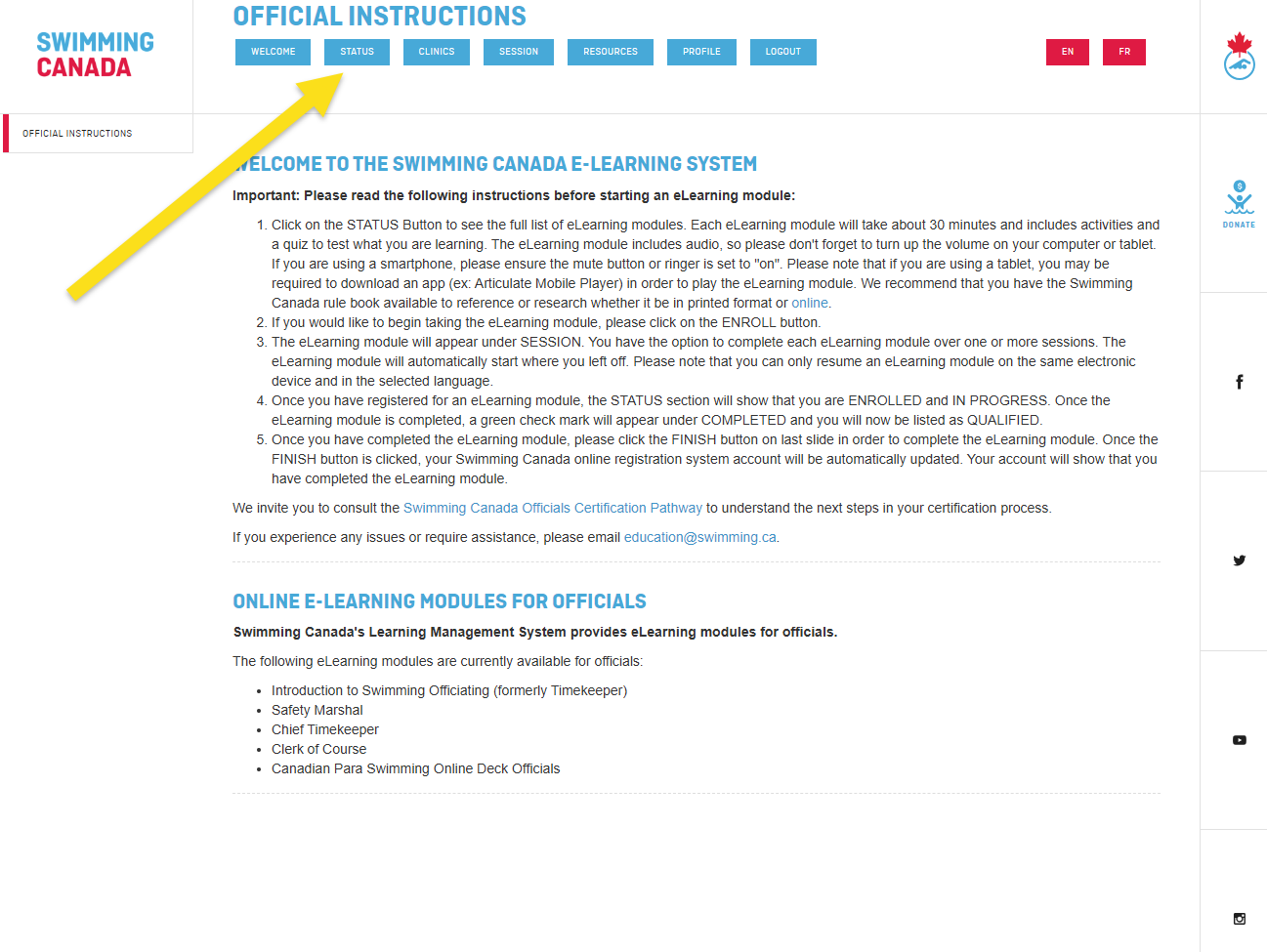
3. Select Status to see the available e-modules.
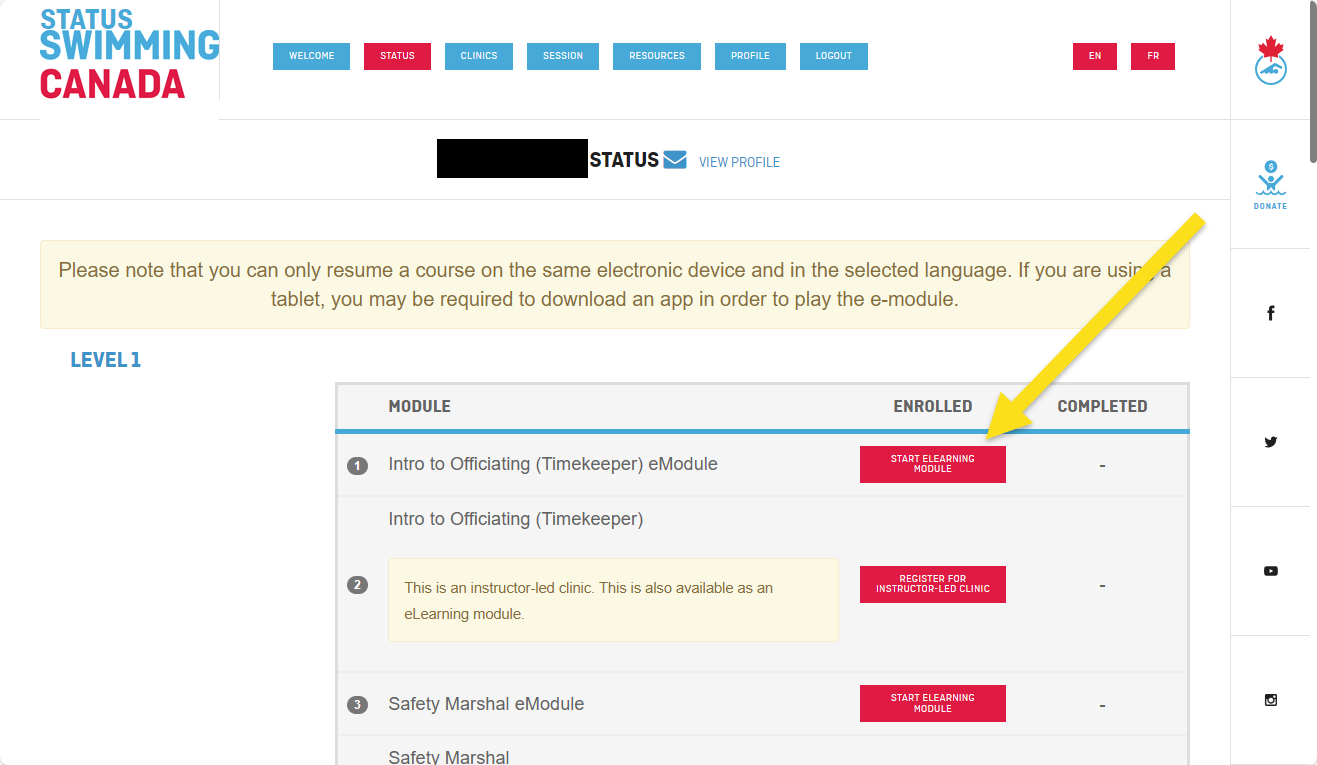
4. Select an e-module and click to start the module
Keep track of your deck evaluations
The Officials Certification Card form needs to be filled out after every deck evaluation. Once both deck evaluation are completed submitted the form to the club's officials coordinator to update your credentials in REMS.
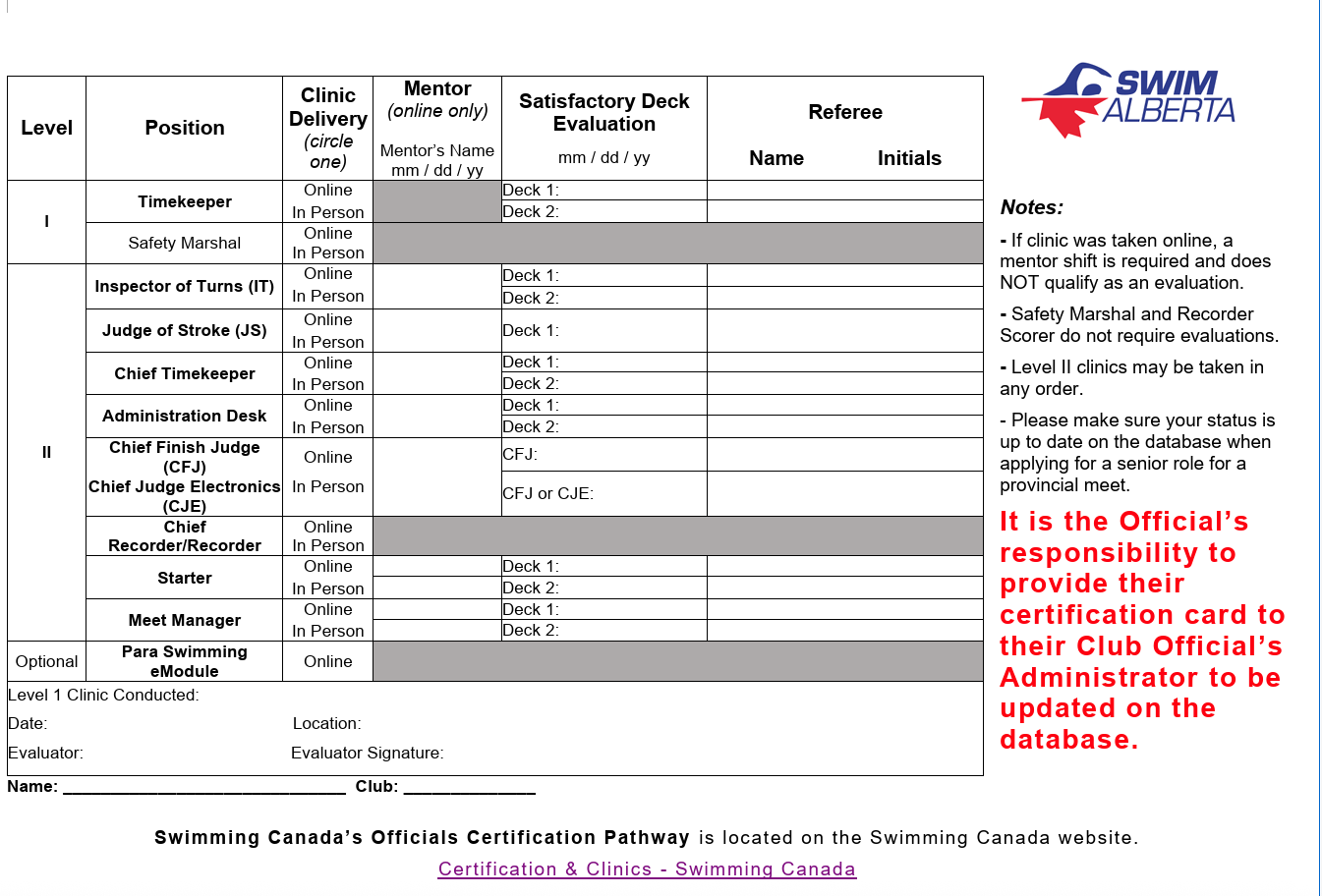
Click here to download a copy of the Officials Certification Card
Questions?
Contact the Officials Coordinator if you need any help.

